Understanding answers and sources in Chat
Objective
Understand how Noulek Chat presents answers and Sources, and how to use that information to trust and debug responses.
Answer structure
After you send a message, Chat typically shows:
- Assistant reply — Text generated by the configured LLM using retrieved Knowledge Base chunks as context.
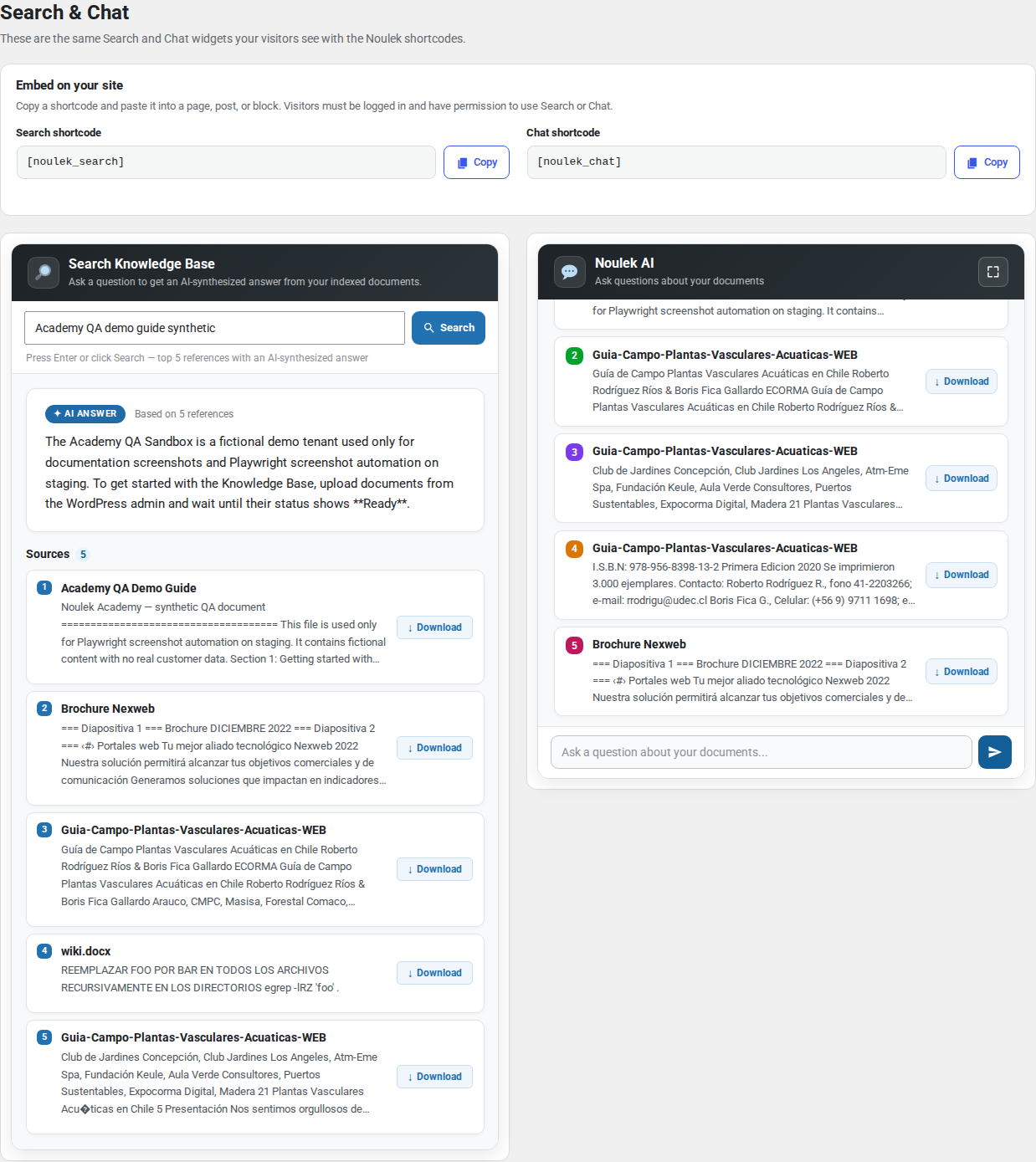
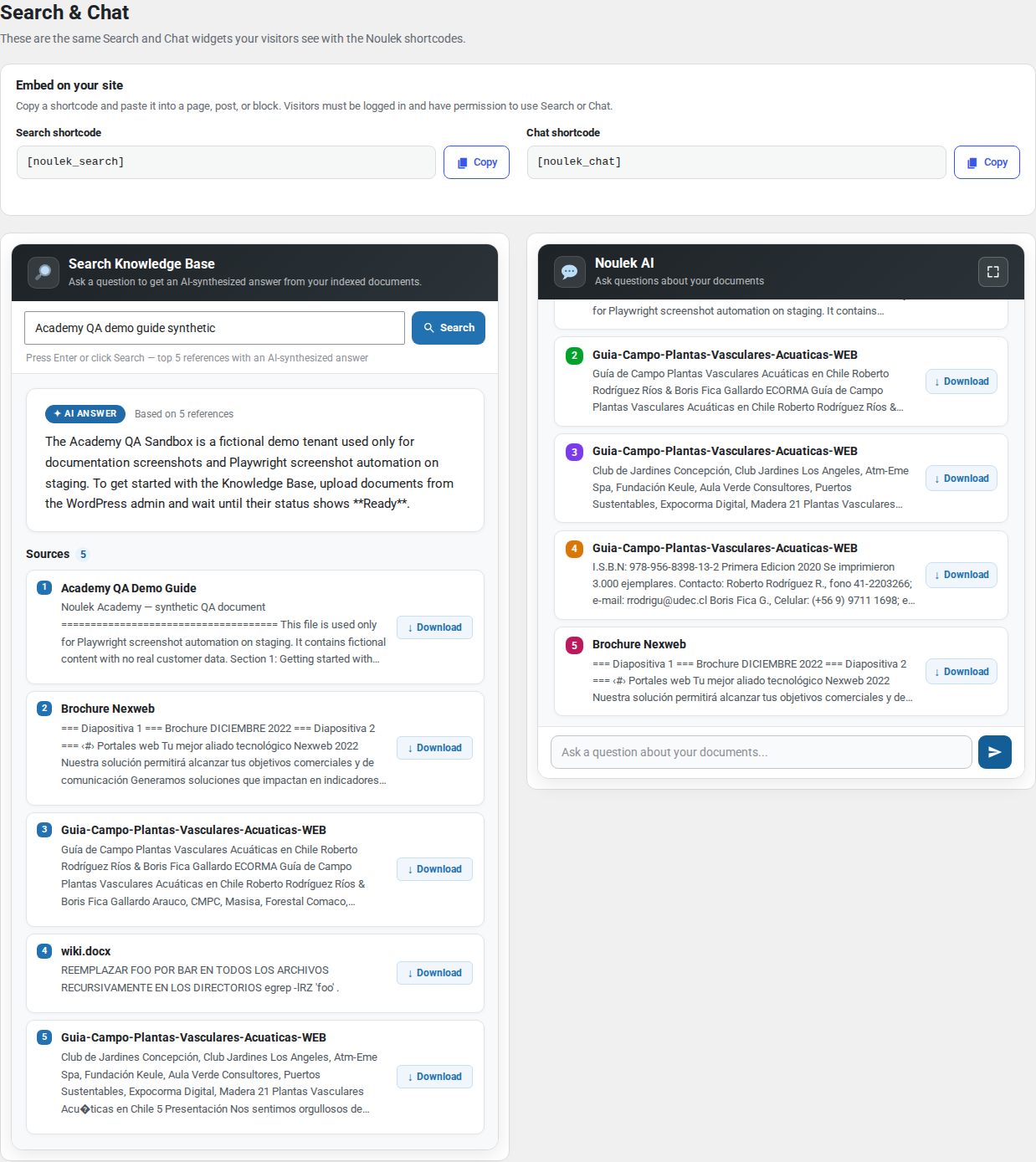
- Sources (when enabled) — A list or expandable section citing documents or passages that informed the answer.
The exact layout depends on widget settings, but Sources is the standard label in the Noulek UI.
What Sources show
Sources help you verify grounding:
- Document name — Usually matches the Document column in Knowledge Base → Documents list.
- Snippet or excerpt — A short passage from the indexed content.
- Optional metadata — Such as page or section references when available from the extraction pipeline.
Sources do not expose private admin URLs or raw file paths by default; they are meant for end-user verification.
How to verify an answer
- Read the assistant reply and check it against your known content.
- Open Sources and confirm the listed documents are the ones that should contain the answer.
- If a source snippet matches your document, the retrieval step succeeded.
- If Sources are missing or point to wrong documents, check that the right files are Ready and not outdated.
When answers look wrong
| Symptom | What to check |
|---|---|
| Generic answer, no Sources | LLM/Vector DB config; documents Ready; query too broad |
| Wrong document cited | Similar content in multiple files; refine question or taxonomy |
| “No information” style reply | Topic not in Knowledge Base; upload or update documents |
| Error message | Settings → LLM and Vector DB; license status |
Search vs Chat sources
Search and Chat both use the same indexed Knowledge Base. AI Answer and Sources in Search follow similar principles; Chat adds conversational follow-ups in the same session.
Expected result
You can read Chat answers critically, use Sources to confirm which Knowledge Base documents supported a reply, and trace issues back to content or configuration when results are unexpected.