Supported document formats in Noulek
Objective
Understand which file types you can upload to Knowledge Base, size and PDF limits, and formats Noulek does not support in the current release.
Supported formats in Knowledge Base
On the Upload documents tab, below the upload zone, Noulek shows Supported formats: with the list for your site.
On Free, Pro, and Enterprise plans (without image OCR), typical formats are:
.txt.json.csv.docx.pptx.pdf.odt.odf
With a PRO license and OCR enabled, images are also supported:
.jpg,.jpeg,.png
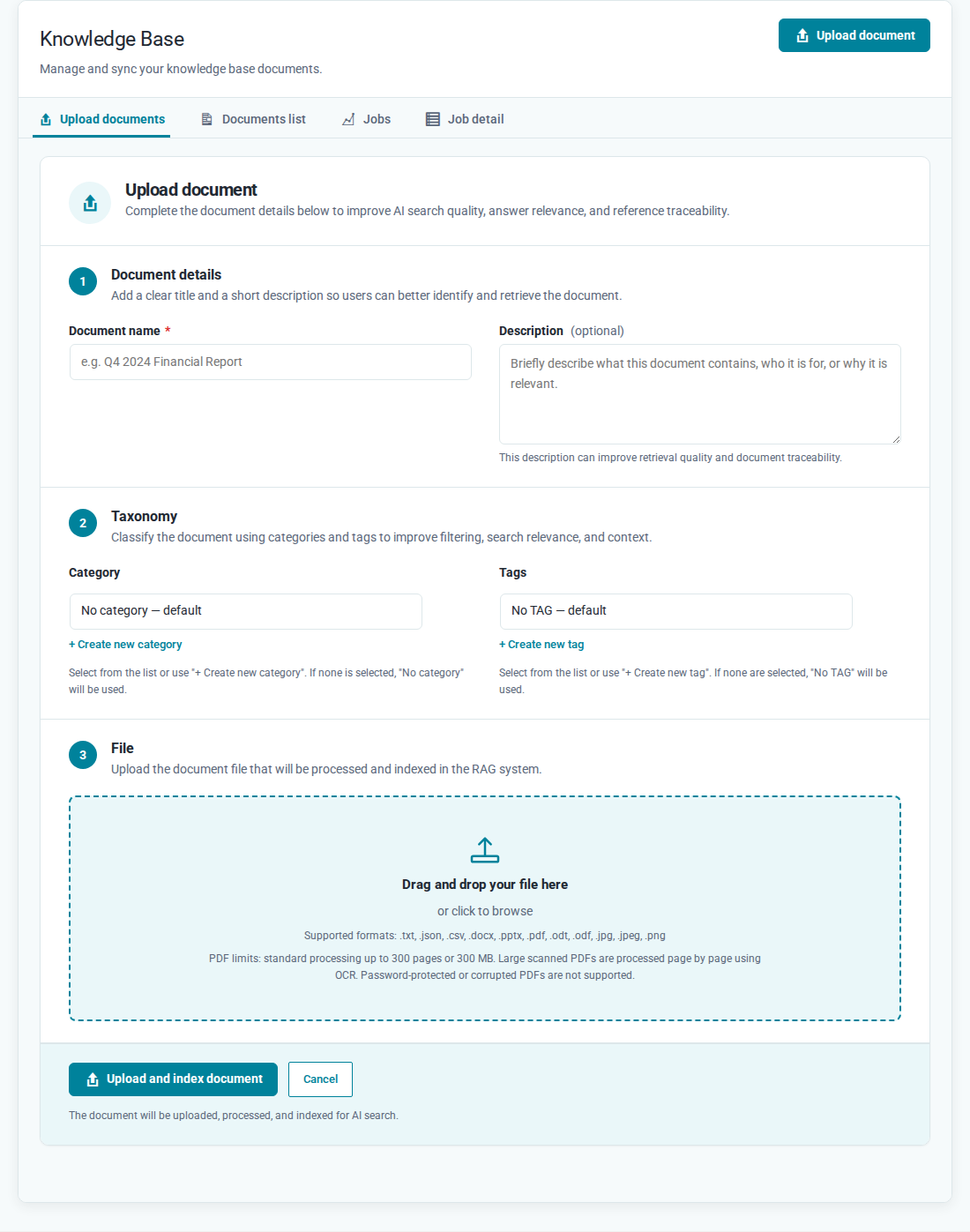
The exact list in your panel may vary based on plan and OCR configuration.
PDF and large file limits
On the same screen, Noulek shows:
PDF limits: standard processing up to 300 pages or 300 MB. Large scanned PDFs are processed page by page using OCR. Password-protected or corrupted PDFs are not supported.
The general per-file size limit is 300 MB. Very large files may show a warning before upload.
Unsupported formats (product messages)
If you try an unsupported format, Noulek may show messages such as:
| Situation | UI message |
|---|---|
| Generic unsupported format | This file format is not supported for text extraction. |
Legacy .doc |
Legacy .doc files are not supported. Please convert the document to .docx, PDF, or TXT before uploading. |
| Excel spreadsheet | Excel spreadsheets are not supported yet. Export the data as CSV to index it as text. |
Legacy .ppt |
Legacy .ppt files are not supported. Export the presentation as PPTX or PDF with selectable text before uploading. |
| Image without PRO/OCR | Image files (JPG, PNG) require a PRO license with OCR enabled. Upgrade your plan or upload a supported document type. |
How to verify before upload
- Open Noulek AI → Knowledge Base → Upload documents.
- Read Supported formats: and PDF limits in the upload zone.
- If your file is not listed, convert it to a supported format (for example CSV instead of Excel, or DOCX instead of DOC).
Expected result
You know whether your file is compatible before clicking Upload and index document, avoiding format errors during upload.