Noulek Settings overview
Objective
Understand where Noulek configuration lives in WordPress and what each Settings tab is for, so you can activate the plugin, connect AI providers, and monitor usage without hunting through the admin menu.
Before you start
You need WordPress admin access with permission to manage Noulek settings (Noulek AI → Settings).
Where Settings is located
In the WordPress dashboard, open Noulek AI and select Settings. The page groups tabs into Configuration and Operations.
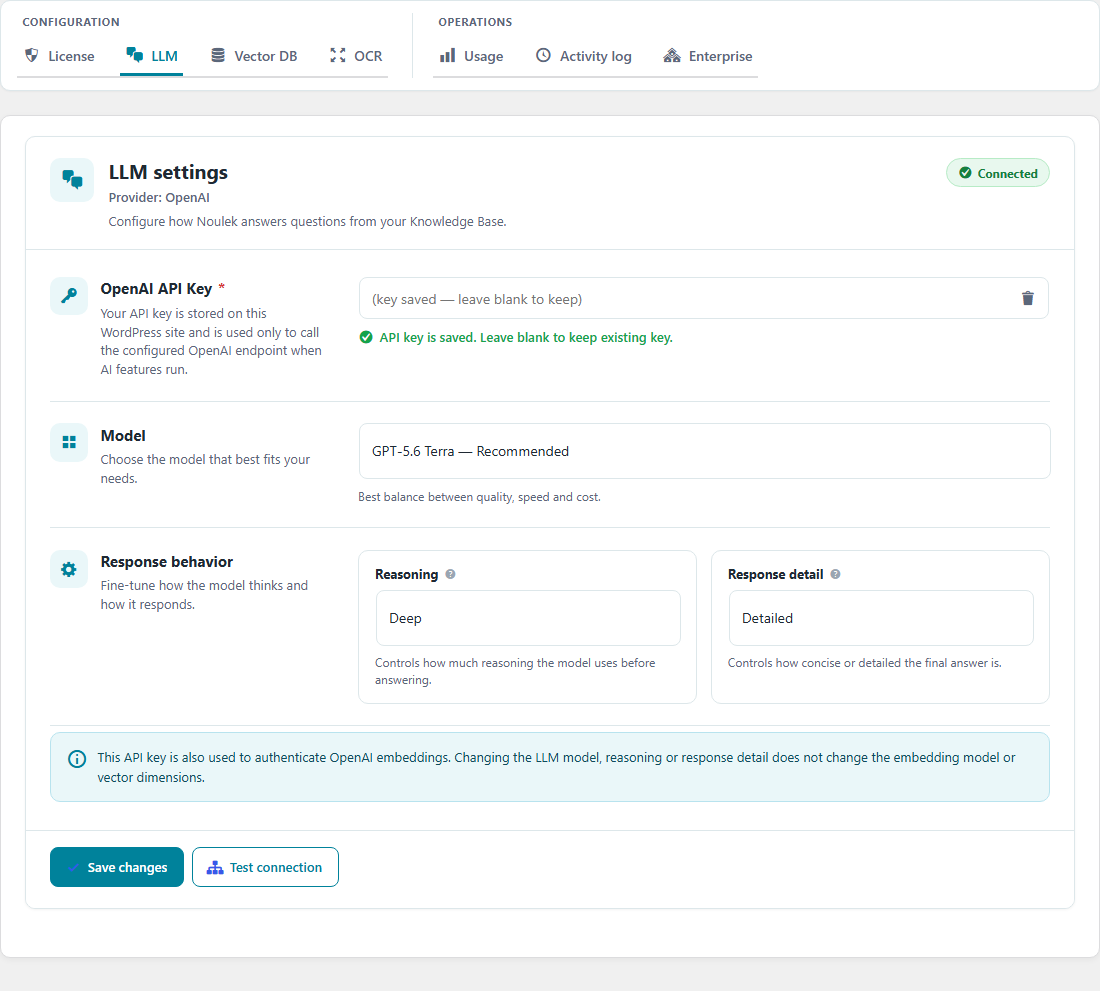
Configuration tabs
| Tab | What it controls |
|---|---|
| License | Connect this WordPress site to Noulek Cloud, validate your plan, and refresh license status. See How to activate Noulek and Check license status. |
| LLM | OpenAI API key, model tier (Luna / Terra / Sol), reasoning, and response detail for Chat answers. See Configure LLM and Vector DB. |
| Vector DB | Weaviate endpoint, API key, and collection name for vector storage. Required for indexing and retrieval. See Configure LLM and Vector DB. |
Operations tabs
| Tab | What it controls |
|---|---|
| Usage | Document count and storage used against your plan limits. See Check plan usage. |
| Activity log | Filterable log of Noulek admin events (uploads, settings changes, license actions, and similar). Use it to audit recent activity on this site. |
| Enterprise | Shown only on Enterprise plans — shortcode generator and capability summary for enterprise Search and Chat options. |
What most customers configure first
- License — activate or connect a license so plan limits apply.
- LLM and Vector DB — required before Search and Chat can generate answers from indexed content.
- Knowledge Base — upload documents (separate menu, not under Settings).
- OCR — optional, under Capabilities, when you need scanned PDFs or images indexed (Pro plans with OCR enabled). See Configure OCR settings.
Expected result
You know which Settings tab to open for license, AI providers, usage, and logs, and where to configure OCR under Capabilities. Detailed step-by-step tutorials for LLM and Vector DB remain in Getting Started; License workflows are also covered under License & Account in Academy.